 AIRA CRM
CRM for Influencer Leads
From a sponsored post to a first message.
AIRA CRM catches the senior people who engage with sponsored posts. It scores them and gives sales a short list with reasons.
- 1Post
- 2Influencer
- 3Campaign
- 4Lead
- 5Message
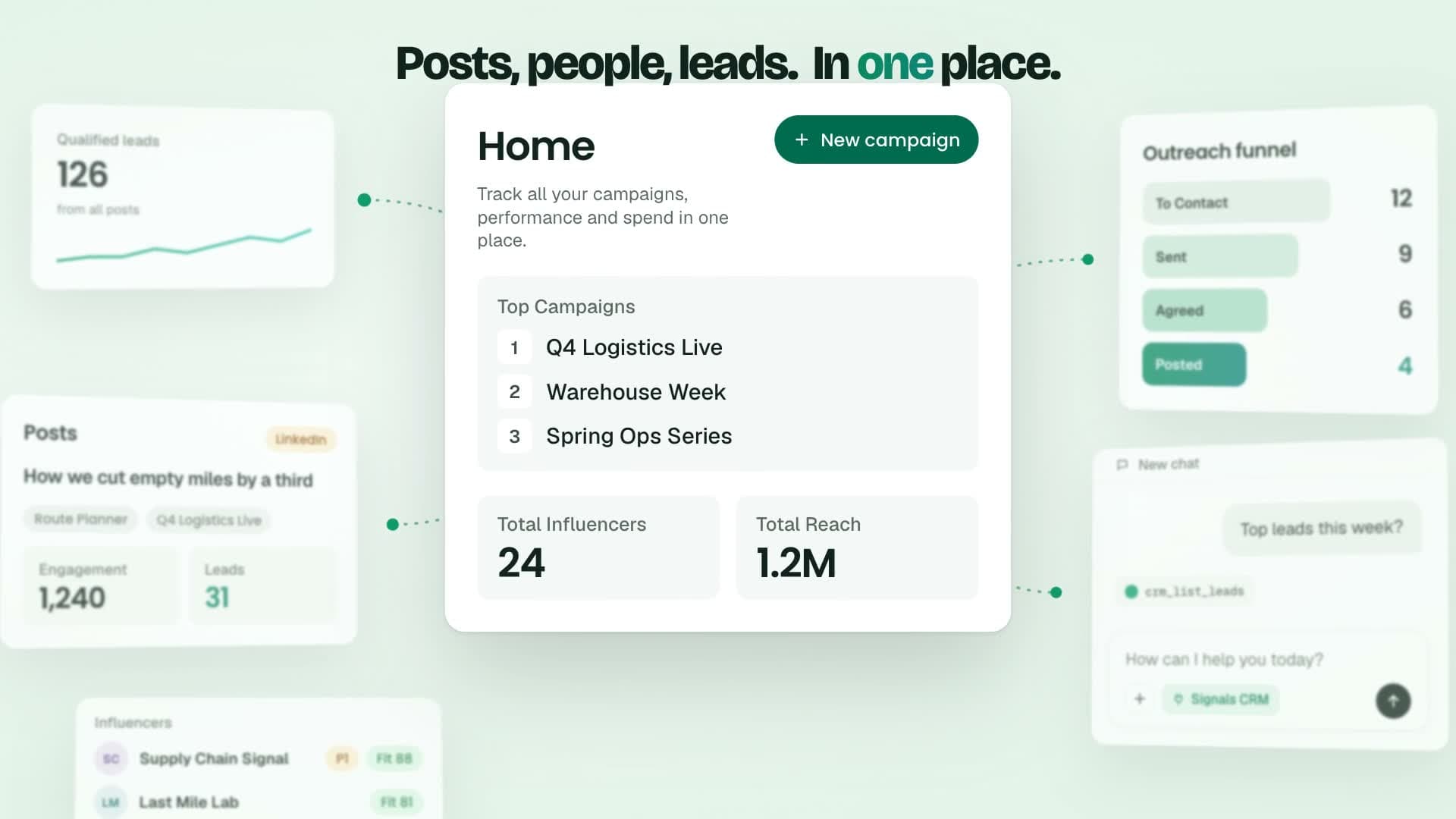
See it in 30 seconds
Trust
Why you can trust it with spend decisions
Each technical choice exists for one business reason: you can show your work.
The CRM in four facts
0–100
Score on every lead
70+
Score that makes a qualified lead
5
Steps from post to message
Logged out
Public data, no account or cookie
Counts that come from public data
The CRM reads reactions and comments from public data, logged out. It uses no LinkedIn account or cookie, so no one's account is involved.
Public data, logged out
No account or cookie of yours
Sales sees why a name is on the list
Product match comes first. Then yes or no checks on company need, role and seniority. Each lead keeps its reason, so a rep can trust the name.
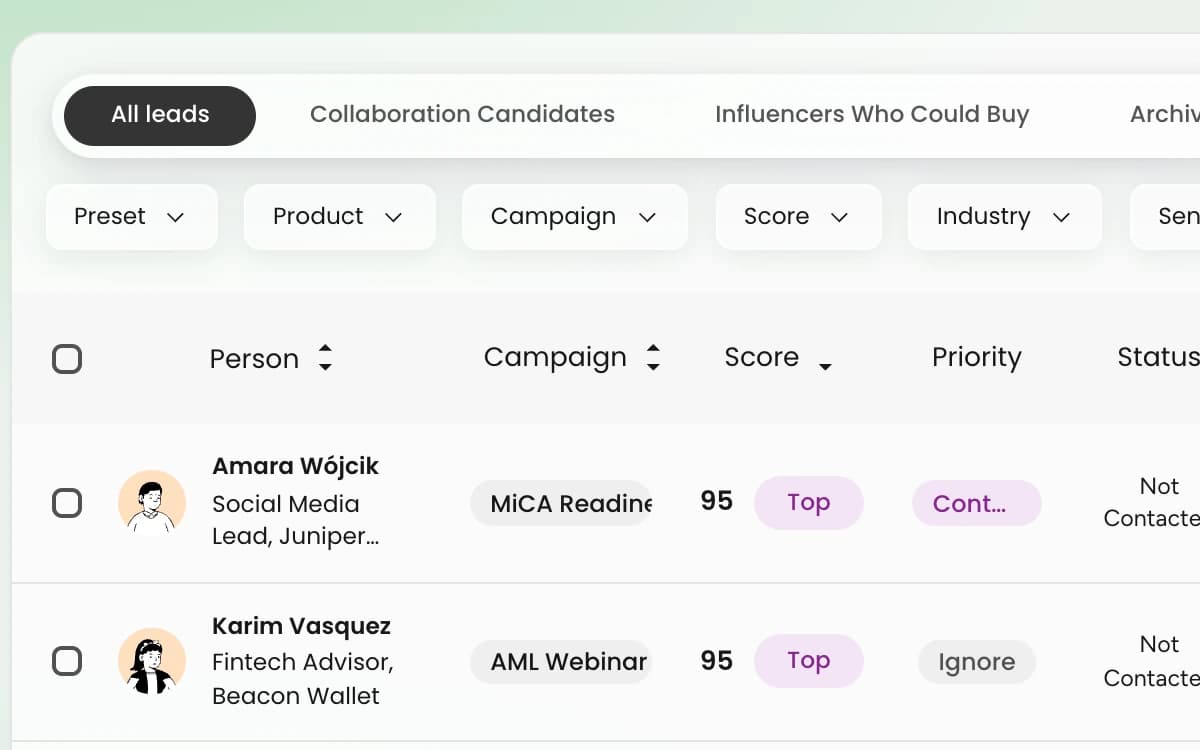
Scored Lead
Score 70 or more, reason beside it
The Leads page lists each person with a score and a plain reason side by side.
Match, then yes or no checks
A reason sales can read
Spend tied to the people it brought
Each qualified lead links to the post, influencer and campaign that produced it. You can trace any name back to the spend behind it.
Post, influencer, campaign, lead
Any lead traced to its post
Every lead leads back to its post. The CRM shows that link and stops there.
Why We Built It
From lost engagement to named leads
Four short parts tell why the CRM exists and what it does.
Senior people engage, then vanish
Sponsored LinkedIn posts get likes and comments. The senior people behind them vanish. Teams pay for reach and cannot name who engaged.
Who?
The question reach alone cannot answer
Turn each engagement into a person
Give every engagement a name and a score. Add a reason sales can read and a link back to the spend. Never log in to LinkedIn.
Logged out
No LinkedIn account or cookie
Collect, score, trace, connect
Public data is collected logged out. AI scoring runs yes or no checks and writes a reason. Each lead links to its post, influencer and campaign. The API and MCP let tools and assistants read the same leads.
Post to lead
Every lead traced to its post
A short list with reasons
Every lead carries a 0–100 score and a reason. A score of 70 or more qualifies. Five steps lead from post to message, and nothing is sent without a person.
70+
Score that makes a qualified lead
Five Steps
Five steps from a sponsored post to a first message
You add the post. The CRM collects, scores and drafts. A person sends the message.
Step 1 Of 5
Add the sponsored post links
Paste post links one by one or upload a CSV. Each link is a sponsored LinkedIn post from an influencer you work with.
CSV
Or paste links one by one
Step 2 Of 5
Collect everyone who engaged
Reactions and comments are collected from public data. The CRM stays logged out and uses no LinkedIn account or cookie.
Public
Logged out, no account or cookie
Step 3 Of 5
Score each person with a reason
The lead scorer checks product match first. Then it answers yes or no: company need, role, seniority. Every lead gets a reason.
0–100
Score and a reason on every lead
Step 4 Of 5
Keep the leads that qualify
A score of 70 or more makes a qualified lead. Each lead links to the post, influencer and campaign that produced it.
70+
Score needed to qualify
Step 5 Of 5
Send the first message yourself
The CRM drafts a referral ask or a cold message. You review it and send it. The CRM sends nothing on its own.
Draft
A person reviews and sends
The Lead List
This is the list sales opens
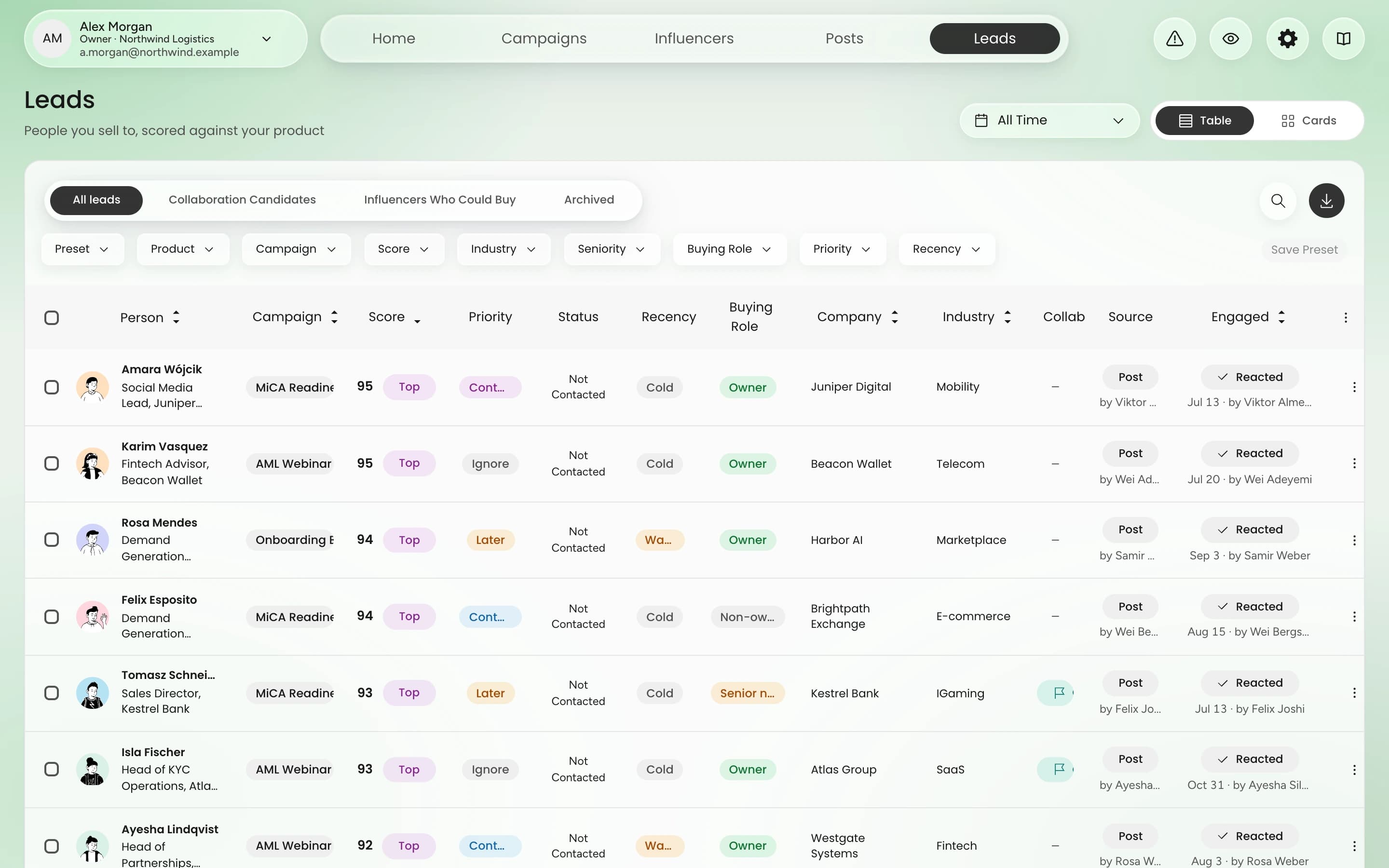
- 1
Score from 0–100
Every person gets one number. A score of 70 or more qualifies.
- 2
Reason beside every name
Plain words say why this person fits, so a rep can judge at a glance.
- 3
Campaign behind each lead
See which campaign, post and influencer produced the person.
Connect
Your tools and assistants read the same leads
Developers use the API. AI tools use MCP. Both read the same scored leads, with the same reasons.
Lead data in your own systems
One request returns a lead with its score, its reason and the post that produced it. Your own tools get what sales sees.
/v1/leads/{id}The request returned 200 OK. The lead has a score of 100, is qualified and carries a reason: senior, strong fit.
Ask your assistant about your leads
Ask in plain words. The assistant reads your CRM and answers from the scored leads. Paid actions show the cost and wait for your confirm.
Claude
AIRA CRM MCP connected
| Lead | Score | Campaign |
|---|---|---|
| Maya Lindqvist, Northwind | 100 | Spring Outreach |
| Tomas Reyes, Brightwell | 92 | Spring Outreach |
| Priya Nair, Oakline | 88 | Spring Outreach |
Questions
Questions before a demo
Turn the next sponsored post into leads
From a sponsored post to a first message. Book a demo and see the whole path.